The Claude Code Tutorial for AI PMs: Why You Need to Use It + HowThe complete guide to the tool that hit $500M ARR in 4 months.
 Check out the conversation on Apple, Spotify and YouTube.
Brought to you by Linear: Plan and build products like the best. Today’s EpisodeClaude Code hit $500 million ARR in four months.
With two product managers and zero marketing dollars. It’s one of the most fascinating product stories of our time. On top of that, it’s one of the most useful tools out there for PMs. In fact, it’s creating one of the biggest gaps in PM skillsets I’ve seen: While some PMs are still copying and pasting into ChatGPT, others are orchestrating multiple AI agents that work in parallel, automatically reading files, researching competitors, and building prototypes. Today’s episode will help you become the latter type of PM. Carl Vellotti runs the world’s largest PM Instagram account (57K followers) and has mastered Claude Code better than almost anyone. We’ll take you from beginner to Claude Code hero: Your Newsletter Subscriber BonusFor subscribers, each episode I also write up a newsletter version of the podcast. Thank you. Today’s is the complete Claude Code mastery guide:
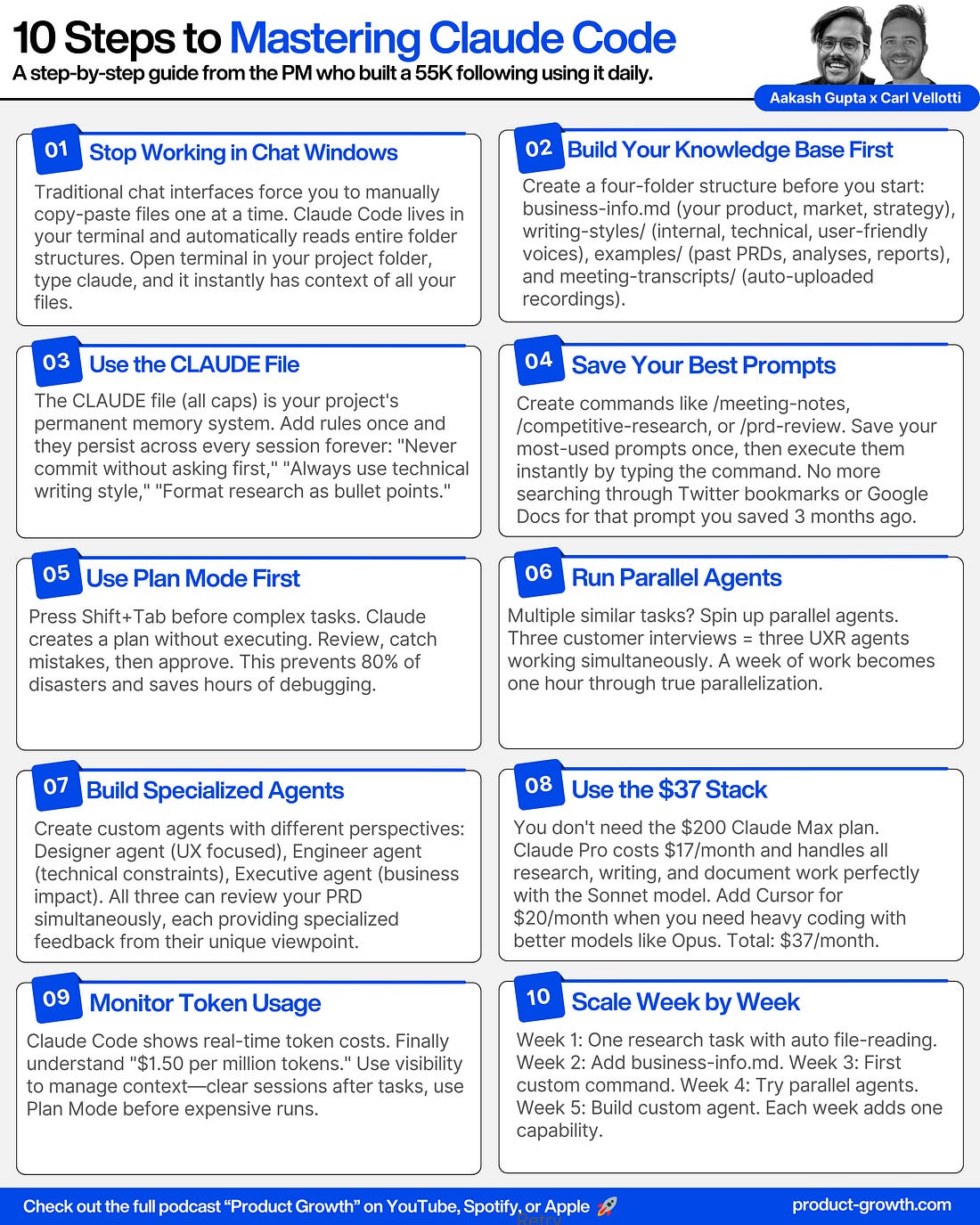
1. Why PMs Should be Using Claude CodeYou thought Claude was just a development tool. But it’s actually just the right way to interact with LLMs. There’s three key reasons: Reason 1 - Automatic File ContextIn traditional chat interfaces, you manually copy-paste files or drag them in one at a time. Claude Code automatically reads your entire folder structure. Ask “how many customer interviews have we done?” and it searches your project, finds the files, and analyzes them instantly. This is context engineering at its finest - giving the LLM the right context quickly without manual work. Reason 2 - The Token Visibility Advantage
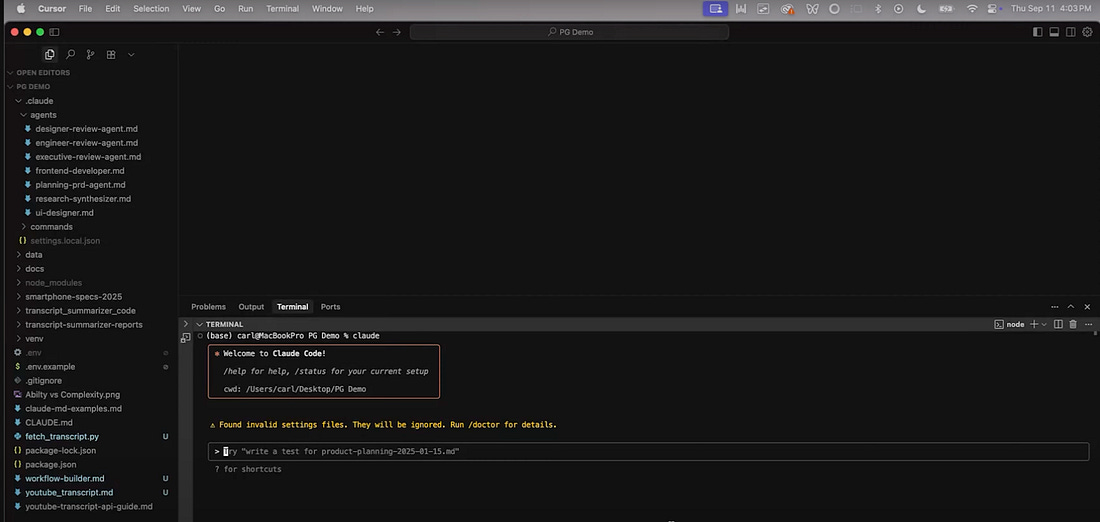
Claude Code shows you exactly how many tokens each task uses. No other interface does this. When pricing is $1.50 per million tokens, you finally understand what that means. You see the cost of your requests in real-time. Reason 3 - Multi-Agent ParallelizationClaude Code can spin up multiple instances of itself running completely in parallel. Need to analyze three customer interviews? It creates three UXR agents that work simultaneously. A task that takes a week manually or a full day with regular LLMs? Claude Code finishes in an hour. So now that we’ve convinced you to use Claude Code… how? 2. The Basics of Claude Code2a. How to Use Claude CodeYou may have heard that people use Claude Code through the terminal. And that’s true. You set it up using a terminal command like: We demo what it’s like to use inside a terminal window. But our recommendation? Use Claude inside of Cursor:
This gives you an entire IDE to work with. 2b. Engineer Claude Code’s ContextClaude Code is only as powerful as the context you give it. The #1 mistake AI PMs make is not having the right project structure. Carl’s project structure includes:
With this structure, you can say “create a PRD for voice-based automations using GPT Real-Time, reference business context, use technical writing style, and check example PRDs” - and Claude does everything in one prompt. Honestly, it’s 10x better than using a LLM for PRDs. 2c. The CLAUDE File
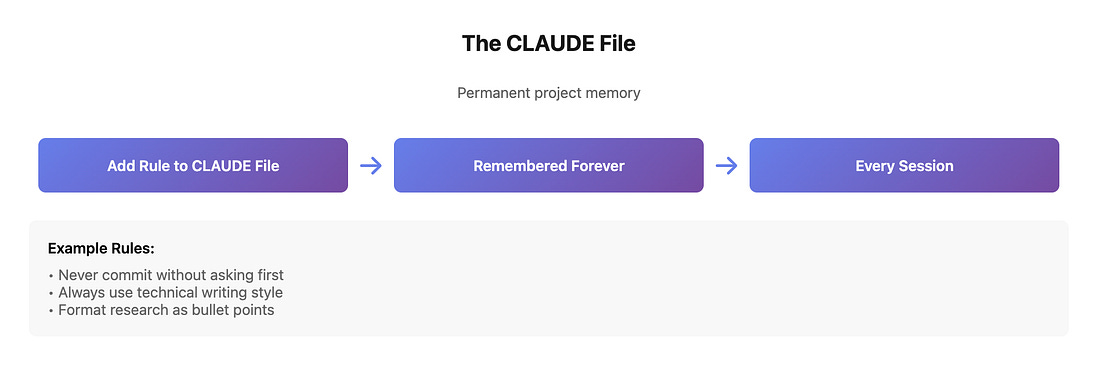
Every Claude Code project has a CLAUDE file (all caps). This is the project memory that Claude references in every single session. Put your rules here. Things like:
Unlike prompts that get lost in context windows, everything in the CLAUDE file stays in memory permanently. 2d. Custom Commands (Slash Commands)
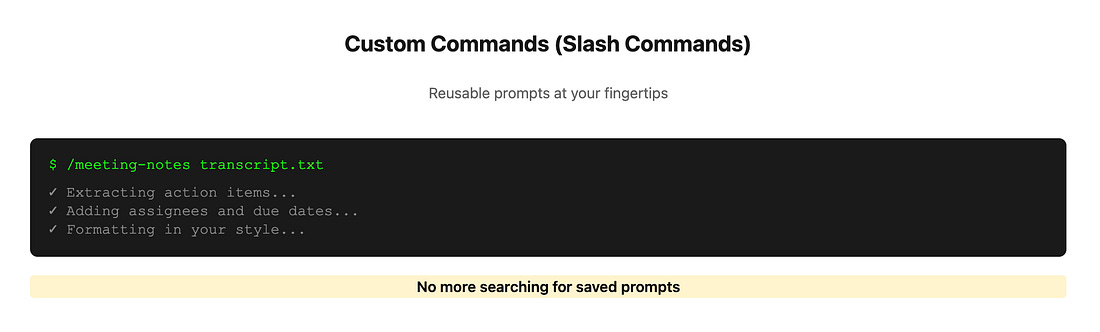
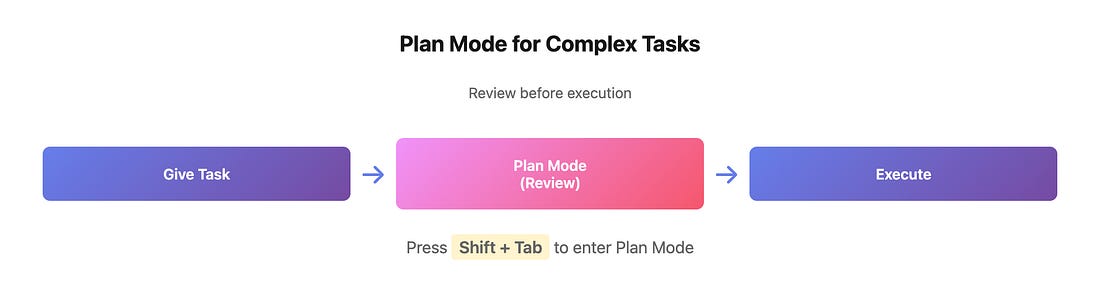
You can save any prompt as a reusable command. Instead of finding that great prompt you bookmarked on Twitter six months ago, just type 3. Advanced Claude Use: Multiple AgentsThe advanced AI agent capabilities separate Claude Code from every other tool. Claude Code creates its own to-do lists before executing. Instead of immediately starting, it says “here’s my plan: install the API, create the script, extract the data, save to file” - and checks off each item. This makes Claude Code far more agentic than tools that just start executing blindly. Two key tips for doing this well: Tip 1 - Plan Mode for Complex Tasks
For complex projects, use Plan Mode (Shift + Tab). Claude can’t edit files in this mode - it only researches and plans. You review the plan, make corrections, then let it execute. Carl’s example: Testing YouTube transcript summarization across three different prompts and three different LLMs (Gemini, ChatGPT, Grok). In Plan Mode, Claude outlined the entire approach, Carl caught issues, then Claude executed flawlessly. Tip 2 - Custom Agent Files
You can build specialized agents with specific personalities and approaches. Carl has a Designer agent (pink color, focused on UX), an Engineer agent (focused on technical constraints), and an Executive agent (focused on business impact). When reviewing a PRD, he says “review from designer, engineer, and executive perspectives” - and three agents work in parallel, each giving specialized feedback.
Where to Find Carl VellottiRelated ContentPodcasts: Newsletters: P.S. More than 85% of you aren’t subscribed yet. If you can subscribe on YouTube, follow on Apple & Spotify, my commitment to you is that we’ll continue making this content better. Invite your friends and earn rewardsIf you enjoy Product Growth, share it with your friends and earn rewards when they subscribe.
|
The Claude Code Tutorial for AI PMs: Why You Need to Use It + How

%26stroke%3Dnone%26strokeWidth%3D3.6)








Posted by WE BRING YOU THE BEST!
 VHAVENDA I.T SOLUTIONS


![[Happening Next Week!] From Silence to Disclosure: Rethinking the Measurement of Intimate Partner Violence](https://lh3.googleusercontent.com/blogger_img_proxy/AEn0k_vLyp9p_fP7FZEQM8ktqzUg982GFJ602NwO4aRdP8xbeIiCdU6ev6qiCrLRUbGzju0AU1_6ormk9zf_NKxtGxzS67vFPKyZQ2X0w1uKJSVLHq2pA_VgsAj2uOelktKzndd47i1Awhf38zWTDqYufe4d3668GUC_IFdFYFgIOYll6xUou7TigrcF85V4Q-TR17iEwZWe1eJAn15wmLAe3c1eKYnFXBraHEvPsoGiqUycaw=w72-h72-p-k-no-nu)


0 Comments
VHAVENDA IT SOLUTIONS AND SERVICES WOULD LIKE TO HEAR FROM YOU🫵🏼🫵🏼🫵🏼🫵🏼